Automate repetitive tasks without adding more complexity.
Automating repetitive tasks should not create another system to manage. We automate the manual actions that come back every day or every week, using the tools your team already relies on, with clear rules and a person in control of exceptions.
Manual, repetitive tasks take time and create room for things to be missed.
- The same information is copied from an email into a spreadsheet, then into another system.
- A request sits waiting because the next step depends on someone remembering it.
- Your sales team recreates the same records, follow-ups and status updates.
- A status change in one system still has to be reported or reproduced elsewhere by hand.
Not everything should be automated. The best starting points are frequent, stable, based on clear rules and easy to check.
Automate an operation from start to finish, with a clear result.
We start with a precise trigger, a submitted form, a booking, a deadline or a status change, then define the checks, actions and exceptions. Ordinary automation is often enough; we add AI only when the work involves reading, sorting or preparing less structured content.
- TriggerA defined event starts the workflow.
- CheckInformation, conditions and duplicates are checked.
- ActThe system creates, updates, assigns, files or sends what was agreed.
- Hand overAn exception or sensitive action is passed to the right person.
Which repetitive tasks could your business automate?
- Administration : entry, filing and reminders; create a record from a form, rename and file a document or send a reminder when something is due.
- Support : identify the type of request, gather the information needed, prepare an approved answer or route the case to the right person.
- Sales : create or complete a lead record, avoid duplicates, assign an owner and prompt the next action.
- Project management : when a status changes, create the next task, update a checklist or notify the people concerned.
- Operations : move a booking or request to the next step without copying the same information at every handoff.
- Legal : prepare a file, check that documents are present or trigger a deadline when the rules are explicit; decisions and approvals stay with people.
We agree a concrete scope and a fixed price before starting, then test the workflow against real cases and document its rules.
Need to connect several systems or a more advanced AI step?
When the work involves several systems, business context and an AI step, our integration service designs the full workflow, with human review.
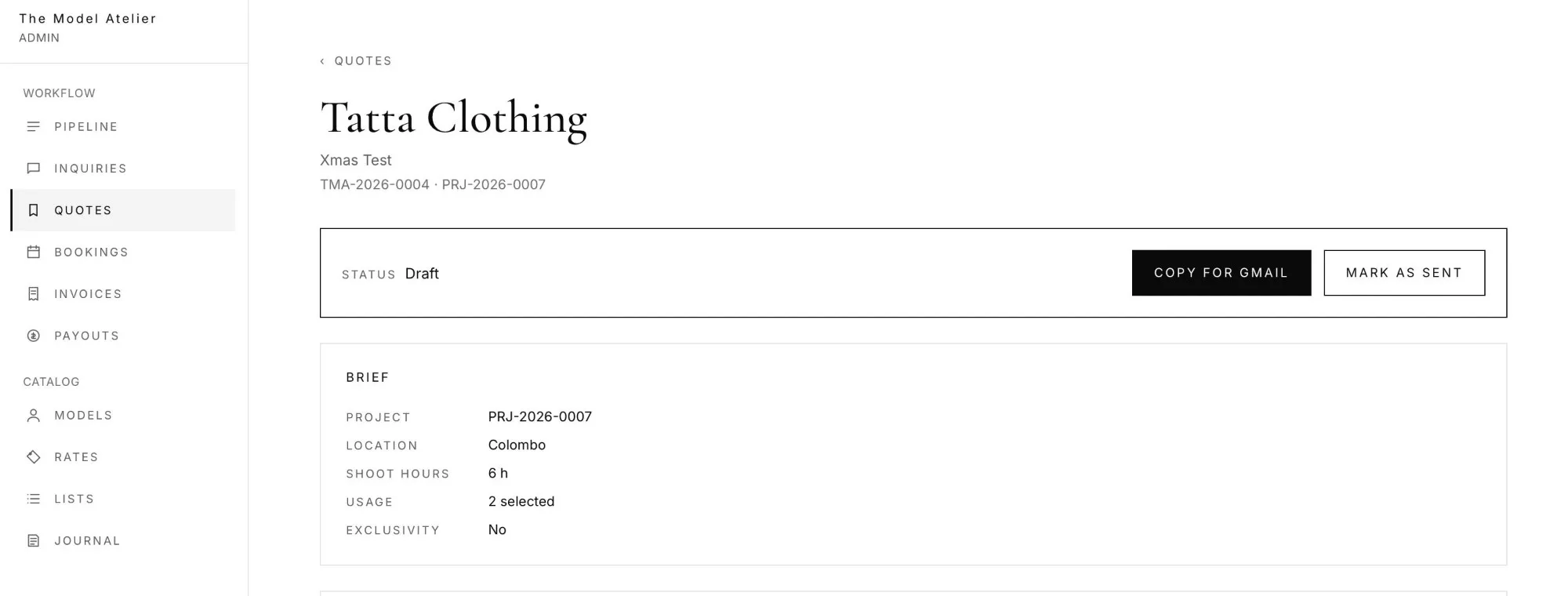
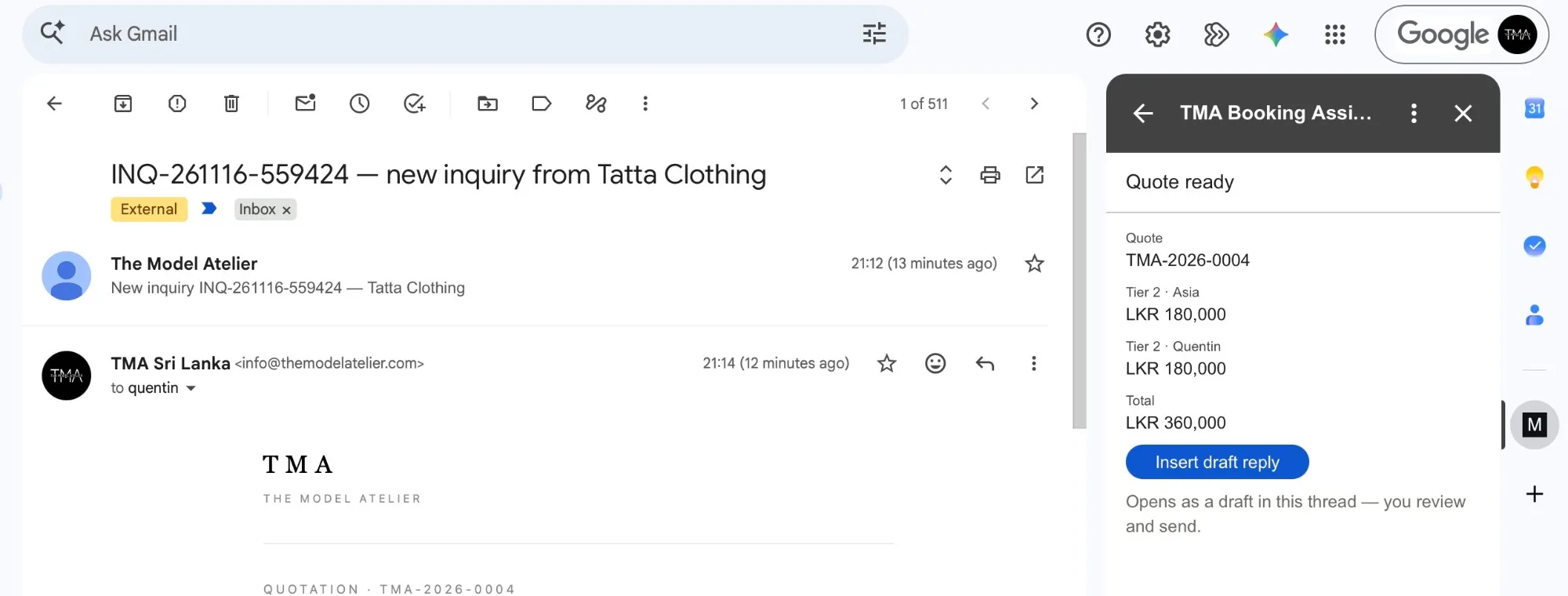
The Model Atelier: email inquiries into CRM records, without re-typing.
The Model Atelier, a model agency, used to receive its booking requests by email and re-type each one into its tool by hand. We built a Gmail add-on that reads the request right in the inbox, prepares the quote in their system and drops it back into the email thread as a draft reply. From the client’s confirmation email, it pre-fills the booking record. The team reviews and confirms at every step: nothing is saved or sent without a person.
Questions about automating repetitive tasks
What simple tool can automate repetitive tasks?
The simplest option is often the automation already built into the software you use. When several tools need to exchange information, Make, Zapier or n8n may be enough; a custom workflow becomes useful when your rules, permissions or exceptions are more specific. We choose the tool after understanding the task, not before.
How do you automate an operation from end to end?
Start by defining the trigger, the information needed, the expected result and the person responsible for exceptions. Automate the main path first, test it with real cases, then add useful variations. Trying to cover everything from the start often makes the system more fragile.
How can repetitive support requests be automated?
A workflow can identify the subject, check that the information needed is present, prepare an approved answer and pass other cases to a person. If answers depend on scattered documents, an AI knowledge base can provide more reliable context. Sensitive or unusual responses stay subject to review.
How can I automate repetitive tasks for my sales team?
You can automate lead creation and updates, duplicate detection, owner assignment, reminders and some status changes. Messages that need judgement are better prepared first, then reviewed by the salesperson.
How do you keep process automation adaptable when the work changes?
Build small steps with visible rules, ownership and exceptions. When a process changes, update the affected rule and tests first rather than rebuilding the whole workflow. Automation that is opaque or has no owner quickly becomes hard to maintain.
How much does it cost to automate a repetitive task?
It depends on the tools involved, the number of rules and exceptions, the quality of the data and the approvals needed. After a short scoping phase, we propose a fixed price agreed before starting, with 50% to begin. If a built-in setting or simple tool is enough, we will tell you.
Ways we can help
Integration
Connect the tools your business relies on and automate handoffs, updates and repetitive tasks.
Assessment
Map how work gets done, find where it slows down and identify where a process change, software, automation or AI could help.
Product build
Design and build a web product, internal tool or client portal—or help finish a project that has stalled.
Which task should your team not have to repeat tomorrow?
Describe the task in your own words: what triggers it, who handles it today and what should happen next. We will tell you whether it is worth automating and what a useful next step would be.
Tell us about the task